
EventReader Software
Easy-to-use windows-based power quality analysis software for the PowerWatch
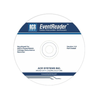
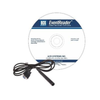
EventReader is a powerful and easy-to-use power quality analysis software application developed exclusively for the ACR PowerWatch Voltage Disturbance Recorder. With no programming hassles or complex menus, setup and downloading of data from the PowerWatch VDR occurs in seconds.
Downloading and communicating with the PowerWatch could not be more simple: plug the optical interface cable into the USB or serial port of your computer and point the other end to the optical port on the PowerWatch. Communication begins immediately. No tools, cards or docking stations are required. The following setup information is displayed in EventReader software: voltage disturbance threshold values, site descriptions, filename, start and stop date and time, and the recorder's serial number. Configure the threshold values for each voltage disturbance type or use the industry standard default values.
A large number of events can be quickly analyzed by using the Quick Summary option. Quick Summary totals all the surge, sag and impulse events and displays all of their occurrences individually in a bar graph format. This format helps determine power quality trends quickly and effectively.
The Event Distribution Graph plots the magnitude of events against duration on a logarithmic scale, allowing you to determine the importance of the data (a single random event may not be as important as a cluster of events). All 4000 events can be plotted on this graph. Graph hot-to-neutral or neutral-to-ground events or show both in different colours. The CBEMA Curve can be used to determine the importance of each event.
Detailed site reports are displayed for every voltage disturbance event recorded from the PowerWatch including:
• Hot-to-Neutral and/or Neutral-to-Ground Surges
• Hot-to-Neutral and/or Neutral-to-Ground Sags
• Hot-to-Neutral and/or Neutral-to-Ground Impulses
• Outages
• Frequency Variations
• Quick and simple downloads
• Detailed site reports
• User-selectable threshold values
• Hot-to-neutral and neutral-to-ground readings
• Quick summary option
• Powerful and easy to use